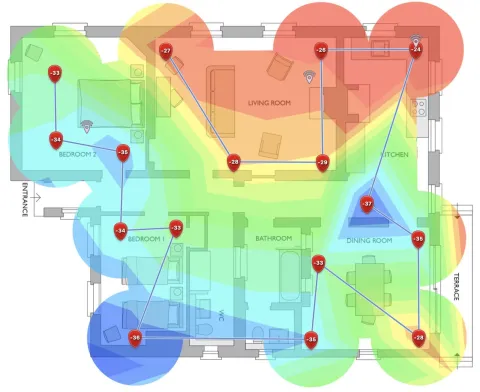
Dense Las Vegas apartments share walls, spectrum, and often a hallway network that was never meant to carry your banking app. You do not need a corporate security team. You do need a private SSID, current encryption, and the habit of not joining “Free Amenities Wi-Fi” for anything that matters.
Use your own network, not the lobby’s
Common-area Wi-Fi is a convenience for guests. Treat it like a coffee shop: VPN if you must, never for work logins. If the building offers included internet, ask whether you get a dedicated drop or a shared VLAN. Shared often means your printer and your neighbor’s laptop see the same broadcast domain.
Password and encryption, without the intern checklist
Change the default router password and Wi-Fi key. Prefer WPA3; if a device cannot join, WPA2-AES is still better than WEP or an open SSID. Put guests and IoT cameras on a guest network so a cheap bulb cannot walk into your laptop share. Review connected devices in the router app once a month.
Phishing is the real apartment attack
Overlapping SSIDs named like the property (“The Palms Guest”) are a classic lure. Confirm the exact name with the office. isp.net does not email you to “verify your router.” If a message asks for a password, delete it.
When the building network is the problem
MDUs that want a designed network—not a consumer router in a closet—can look at MultiNet. Residents who can order their own service should check HomeNet at the unit address. More hotel-style hardening is in our hotel Wi-Fi practices post.
Questions: 702.900.0000 or contact isp.net.